





Chevy’s Teen Driver Technology
For a parent, one of the many situations that cause nail-biting stress is allowing your teenaged driver to take the car out for the evening. The thought of your teenager having full control of a heavy piece of machinery can be terrifying. But General Motors (GM) has developed Chevy Teen Driver, safety technology to keep teens drivers’ attention behind the wheel. Chevy Teen Driver is a safety feature option on all new Chevrolet vehicles sold today.
CHEVROLET TEEN DRIVER INCLUDES
GM created Chevy Teen Driver to assist with coaching your teenager on how to be courteous behind the wheel. The following technology is included in the Teen Driver package:
Buckle to Drive: If the driver’s seatbelt is unbuckled, this feature will disable the ability to shift out of park for 20 seconds. There are also visual and audible alerts to remind your new driver to buckle up.
Speed warning: Allows a maximum speed to be set. There are visual and audible alerts when the driver exceeds this speed.
Speed limiter: You can set a maximum vehicle speed up to 85 miles per hour to prevent your teen from going over the speed limit.
Volume limit: This feature lets you set a max volume when your child is behind the wheel.
Seat belt audio mute: Teen Driver will mute the audio until both driver and front-seat passenger have their seatbelts fastened.
HOW TEEN DRIVER WORKS
Here’s how to activate the Chevy Teen Driver feature: tap the “Settings” button on the Chevy MyLink infotainment display and select “Teen Driver.” Tap “Continue” and create a four-digit PIN, then press “Send.” Once you have the PIN set up, you’ll need to register a specific key fob designed for your teen driver’s use only. Register the teen’s key fob by programming it through the Chevrolet MyLink screen. Teen Driver is activated whenever the car is started with a Teen Driver key.
Once the key fob is registered, you can add and set the limits of the aforementioned features, like audio volume or speed warning. When the car is started using the registered key fob, the Teen Driver safety feature will activate and use the settings you provided. You can also deregister any key fob if you no longer wish to use Teen Driver.
DRIVING REPORTS
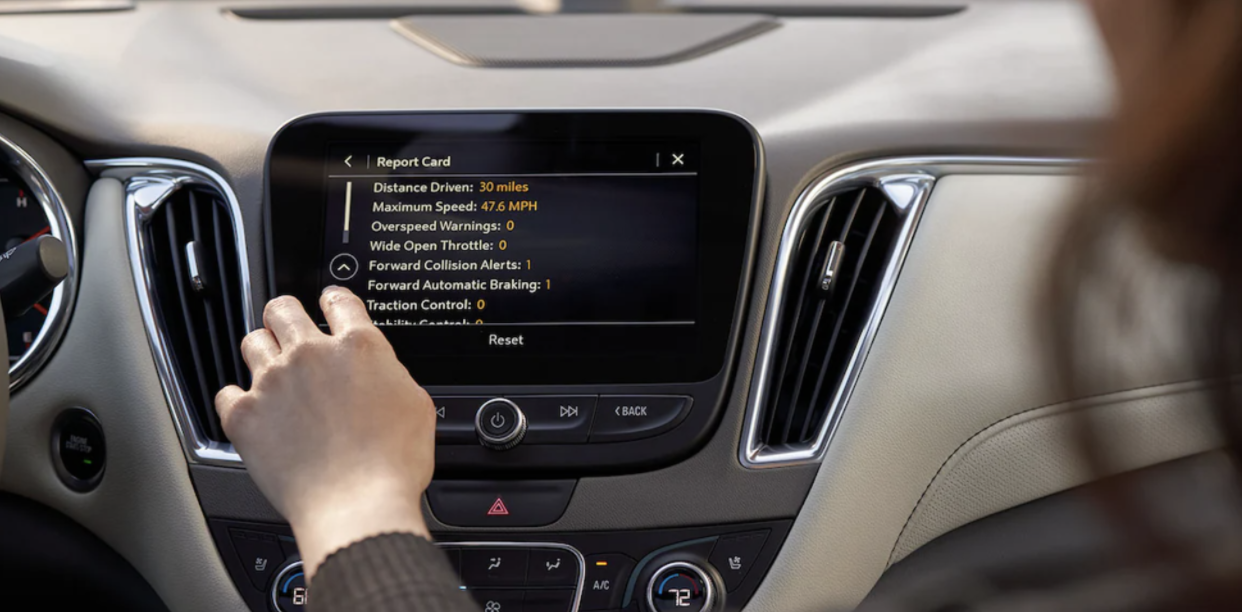
After each drive, use your PIN to access informative reports from on the myGMC Mobile App and see how your new driver behaves out on the road. The report card shows details such as distance driven, maximum speed driven, how many overspeed warnings accumulated, number of forward collision alerts, tailgating alerts, and more.
Here at McLarty Daniel Chevrolet, we encourage safe driving and want to do our part in assisting you and your family in feeling more secure out on the road. When you shop for a quality vehicle for your new driver, McLarty Daniel Chevrolet in Springdale will provide you a solid selection of both new Chevy models and used vehicles to choose from.
Connect with us


- April 2025
- March 2025
- February 2025
- January 2025
- September 2024
- August 2024
- July 2024
- April 2024
- March 2024
- February 2024
- October 2023
- September 2023
- August 2023
- July 2023
- June 2023
- May 2023
- April 2023
- June 2022
- May 2022
- January 2022
- October 2021
- September 2021
- August 2021
- July 2021
- June 2021
- May 2021
- April 2021
- March 2021
- February 2021
- January 2021
- December 2020
- October 2020
- September 2020
- August 2020
- July 2020
- June 2020
- May 2020
- March 2020
- February 2020
- January 2020
- December 2019
- November 2019
- October 2019
- September 2019
- August 2019
- July 2019